
Import and export
Hew reads SketchUp, COLLADA, and glTF, and writes manifold STL and 3MF for printing plus glTF for everything else.
| Format | Import | Export |
|---|---|---|
.hew (native) |
✓ | ✓ |
glTF / GLB (.gltf, .glb) |
✓ | ✓ (.glb) |
COLLADA (.dae) |
✓ | — |
SketchUp (.skp, 2017 format) |
✓ | — |
STL (.stl) |
— | ✓ |
3MF (.3mf) |
— | ✓ |
Importing
File ▸ Import… accepts SketchUp, COLLADA, and glTF files; the format is detected from the file you pick. Imported geometry is rebuilt into real, editable Hew Objects that you can keep modeling, and each object’s watertightness is assessed on the way in.
After every import, an Import Complete report summarizes what happened: how many objects were created (and how many are solid vs. leaky), any meshes that had to be skipped and why, any texture images the file referenced but Hew couldn’t find, and warnings — for instance a non-manifold mesh imported as separate open shells rather than one solid. Nothing is silently repaired or silently dropped.
SketchUp (.skp)
Hew reads SketchUp 2017-format files directly; no SketchUp installation required. Names, materials, components, tags, and guides all come across natively. (The reader is OpenSKP, a clean-room implementation with no Trimble SDK code in its lineage.) If a file has damaged sections, the importer recovers what it can and lists warnings in the import report. Newer .skp versions can usually be saved back to the 2017 format from SketchUp itself.
COLLADA (.dae)
COLLADA import covers SketchUp’s own export path, including a healing pass that repairs the specific non-manifold artifacts SketchUp’s exporter is known to produce. COLLADA stores textures as separate image files: the desktop app scans the folders next to the file automatically, and the web app lets you point at the folder containing the images.
glTF / GLB
Both .gltf and .glb import, with embedded textures and the full node hierarchy.
Exporting
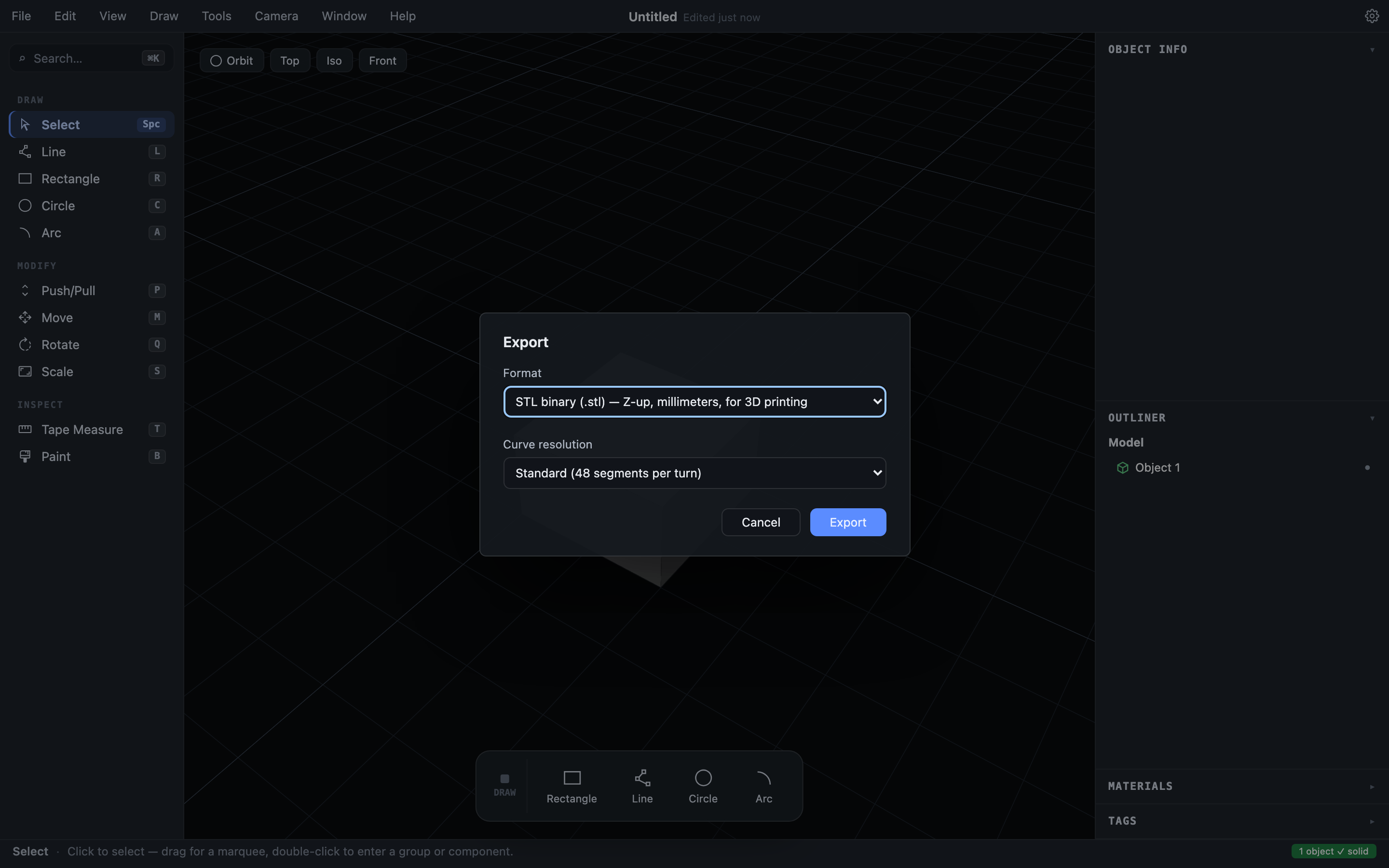
File ▸ Export… opens one dialog with a format choice:
STL — for 3D printing
Binary STL, in millimeters, Z-up, ready for any slicer. Hew models are watertight solids, so the exported STL is manifold: no repair step, no “fix errors?” prompt in your slicer.
The export dialog has a Curve resolution choice for STL. Because drawn circles and arcs remember their exact geometry, Hew can rebuild curved walls at export time at any smoothness — the facets you modeled with are the floor, not the ceiling. “As modeled” writes the stored facets verbatim; Draft through Ultra re-facet every eligible curved wall at 24 to 192 segments per turn, and the mesh stays manifold at every setting. A curved wall that later operations have made irregular (a boss on the wall, a boolean seam through it) keeps its stored facets rather than being approximated.
The export is gated on solidity. If any object is leaky, Hew shows Export STL Anyway? with the offending objects listed by name; you can export regardless, but you’ve been told exactly what’s wrong and where. STL contains geometry only (no names, colors, or units metadata) and merges everything into one mesh.
3MF — for multi-part printing
3MF is the modern print format: explicit millimeter units, Z-up, and — unlike STL — real structure. Every object and component instance exports as its own named part with its face colors, so a multi-part print arrives in your slicer as separate, recognizable pieces instead of one anonymous blob. The same solidity gate as STL applies.
glTF (GLB) — for everything else
A single .glb file in the industry-standard format: meters, Y-up, with your object hierarchy, per-instance transforms, names, colors, and embedded textures. Use it for Blender, game engines, web viewers, or any modern 3D pipeline; the round trip through Blender is tested for fidelity. Only solid geometry exports; sketches and guides stay home.
What about STEP or .skp export?
STEP/IGES interchange and .skp export are planned further out. For today: STL or 3MF to print, glTF to interchange, .hew to keep working.