
Core concepts
Why objects never fuse on contact, what watertightness buys you, and how inference snapping fits in. Start here if you know SketchUp.
If you know SketchUp, your first session in Hew will feel familiar. Sooner or later, though, something you expect to happen won’t: two touching boxes refuse to weld, or an operation stops with an error instead of producing something questionable. Those moments are this chapter. A few deliberate rules make Hew behave very differently once your model gets complicated, and understanding them will save you more time than memorizing any tool.
Objects
An Object is Hew’s unit of “a solid thing.” Extruding a closed 2D profile creates one automatically; there is no “group it” step to remember. Each Object is its own island of geometry: it has a name, an optional material and tags, and its own watertightness state. Objects can be organized into groups and turned into components (shared definitions with independent instances), but the Object remains the atom the whole application works in terms of.
Watertightness is tracked, not assumed
Every Object knows whether it is a closed, manifold solid. Hew surfaces this constantly:
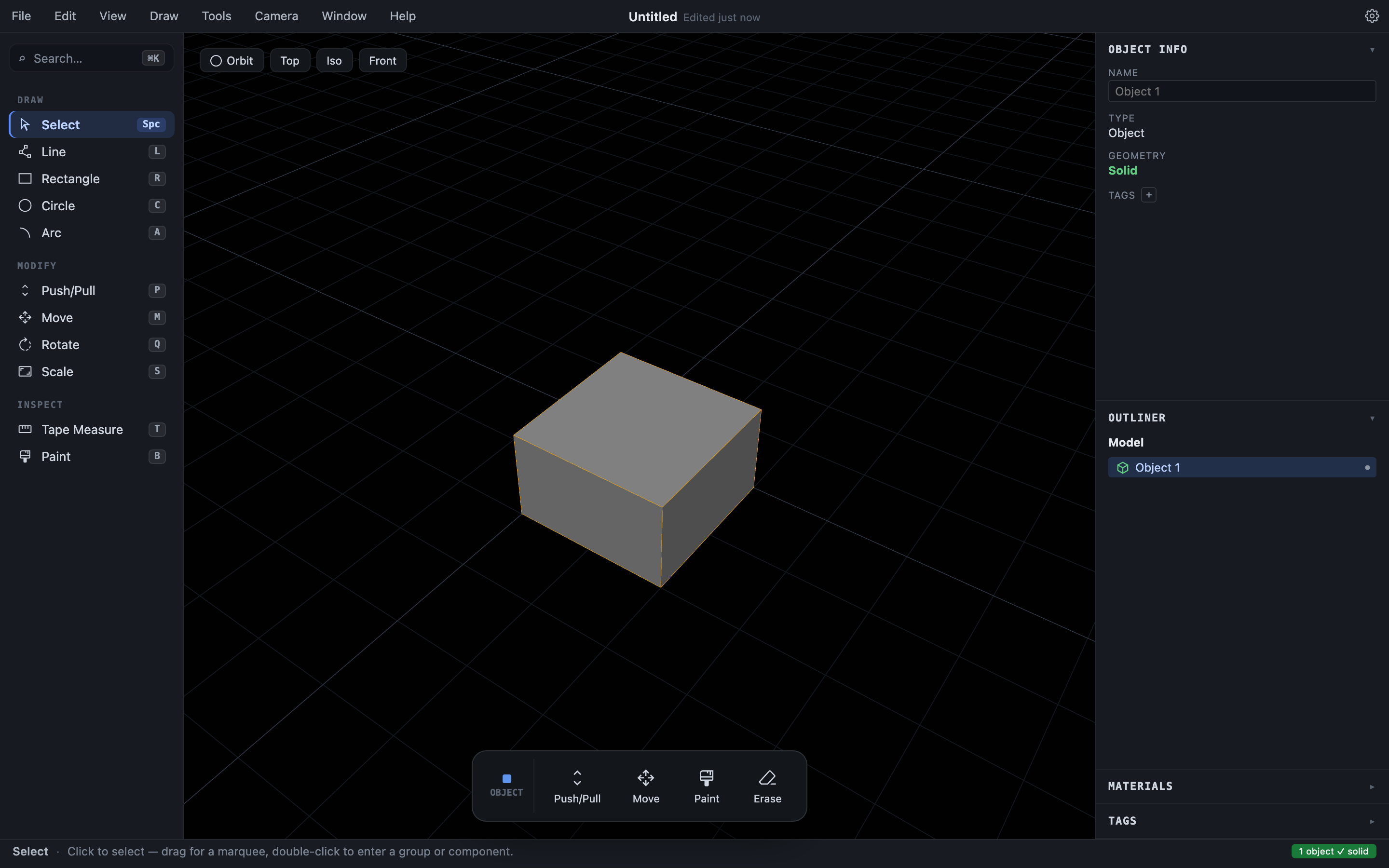
- The status bar badge (bottom right) shows “N objects ✓ solid” in green, or “N leaky” in red, for the whole model.
- The Object Info panel reports the selected object’s geometry as Solid or Leaky.
- The Outliner draws a leaky object’s icon with a dashed outline.
Nothing gets silently patched or “healed” behind your back. An operation that would produce invalid geometry fails with a clear error instead, and what you see is what you’ll get when you export.
Combining Objects is always explicit
Two Objects sitting next to each other — even touching, even overlapping — stay two separate Objects. They do not fuse on contact the way ungrouped SketchUp geometry does. When you want two Objects to become one, you say so: select both and choose Edit ▸ Union (or Subtract, or Intersect). This single rule prevents the “accidentally welded my whole model together” problem that haunts long SketchUp projects. See Combining and splitting solids.
Sticky geometry, inside an Object
Within a single Object’s editing context, the familiar SketchUp rules still apply: drawing an edge across a face splits the face, a closed loop of edges becomes a region you can push/pull, and carving a recess or punching a hole works exactly as you’d expect. This “stickiness” is scoped to the Object you’re drawing on, which keeps detail work feeling like SketchUp without letting edits leak across Object boundaries.
Free-standing sketches on the ground plane behave the same way: segments split where they cross, and closed loops become fillable regions.
Inference snapping
As you draw, Hew’s inference engine constantly looks for meaningful relationships across everything visible (endpoints, midpoints, points on an edge or face, the centers, quadrants, and tangents of drawn circles and arcs, construction guides and their crossings, axis alignment) and calls them out with a colored snap dot and label at the cursor:
| Cue | Color |
|---|---|
| Endpoint | Green |
| Center (the exact center of a drawn circle or arc) | Teal |
| Quadrant (a cardinal point on a drawn circle’s rim) | Teal |
| Midpoint | Cyan |
| Intersection (guide crossing) | Amber |
| Tangent (where your line just grazes a drawn circle) | Violet |
| On Edge | Red |
| On Face | Blue |
| On Guide | Purple |
| On Axis | The axis color (X red, Y green, Z blue) |
| Ground | Gray |
Center, Quadrant, and Tangent come from the circle or arc you actually drew — the exact geometry, not the faceted outline — and an arc offers them only over the range it covers. Tangent appears while a line is in progress: once the first point is placed, the rim point where your line would just graze the circle lights up.
Point snaps are deliberately “magnetic”: the cursor acquires a snap within a small radius and holds it a little longer than that, so precise clicks feel steady rather than jittery.
Inference is a query over everything you can see; sticky merging is scoped to the Object you’re editing. Keeping the two separate lets Hew offer precise, whole-scene snapping without reintroducing accidental welding.
Determinism and honesty
Two smaller principles round out the design:
- The kernel is deterministic. The same sequence of operations always produces bit-identical results. Files save byte-stably, and bugs are reproducible instead of intermittent.
- Errors leave the model untouched. When Hew can’t do something safely — a push/pull that would tear open a solid, a slice plane that misses — it tells you and does nothing.